How to set up callback URLs on third-party platforms
In the NextAuth.js documentation, the Providers section lists the third-party authentication platforms currently supported by NextAuth and how to call them.
Google OAuth
Let's take the most commonly used OAuth platform Google as an example. You can also refer to Google's documentation on configuring OAuth2.
Create Credentials
Go to the Google API page, and under the Credentials section, Create Credentials. Select OAuth client ID.
On the Create OAuth client ID page, first select the Application type.
OneDayBuild is a SaaS model, so we'll choose Web application here.
In the Authorized JavaScript origins and Authorized redirect URIs fields, enter your callback URL, usually written like this:
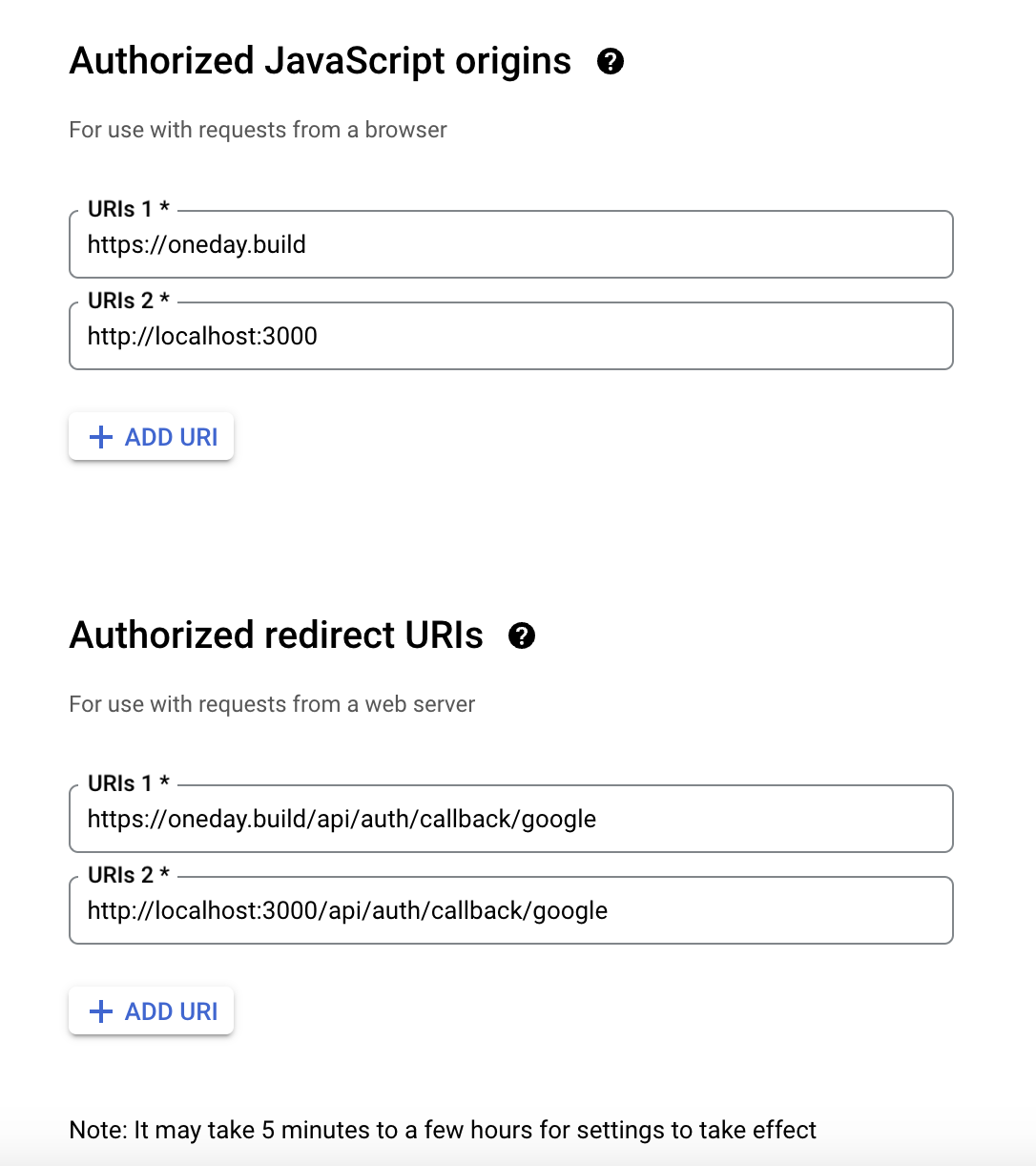
Replace https://oneday.build with your website domain.
Get Client ID
After creating the Credential, the Client ID and Client secret will be displayed on the right side of the details page.
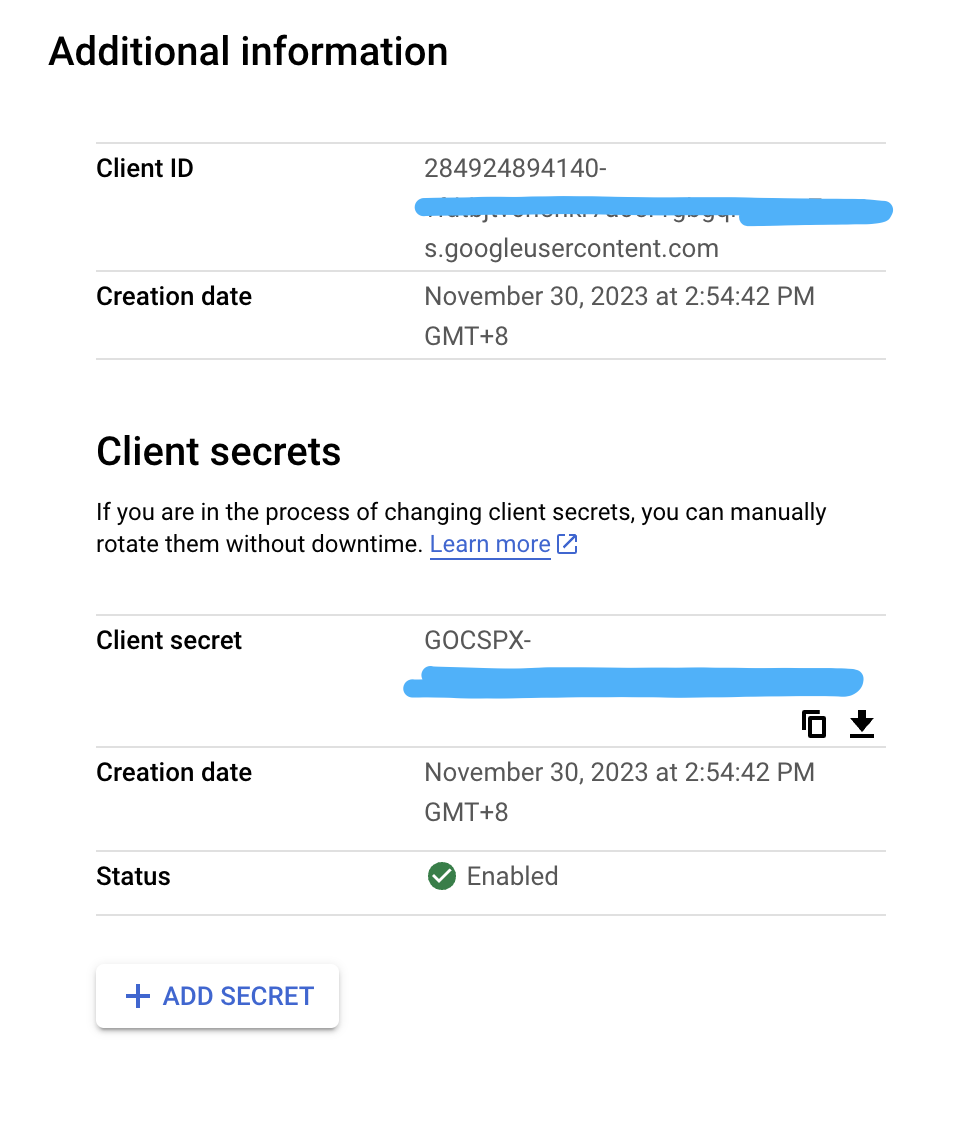
You need to fill these two keys in the corresponding locations in the .env file.
Frequently Asked Questions
My friend often encounters authentication failures with the following error reported.
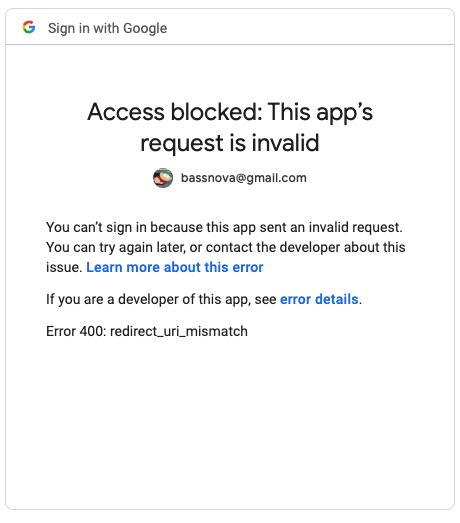
This is due to the redirect_uri registered on Google not matching the website's URL. To ensure both are aligned, it is recommended to include the callbackURL in the configuration information for GoogleProvider within /api/auth/[...nextauth]/.
providers: [
        GoogleProvider({
            clientId: process.env.GOOGLE_CLIENT_ID,
            clientSecret: process.env.GOOGLE_CLIENT_SECRET,
            callbackURL: "https://www.oneday.build/api/auth/callback/google",
        }),
]